Tip: You can simplify the processing of your support ticket if you insert a log file immediately.
Creating a log file
Navigate to the installation folder before starting ipolog:
E.g. "C:\Program Files\IPO.Plan\IpoLogV4".
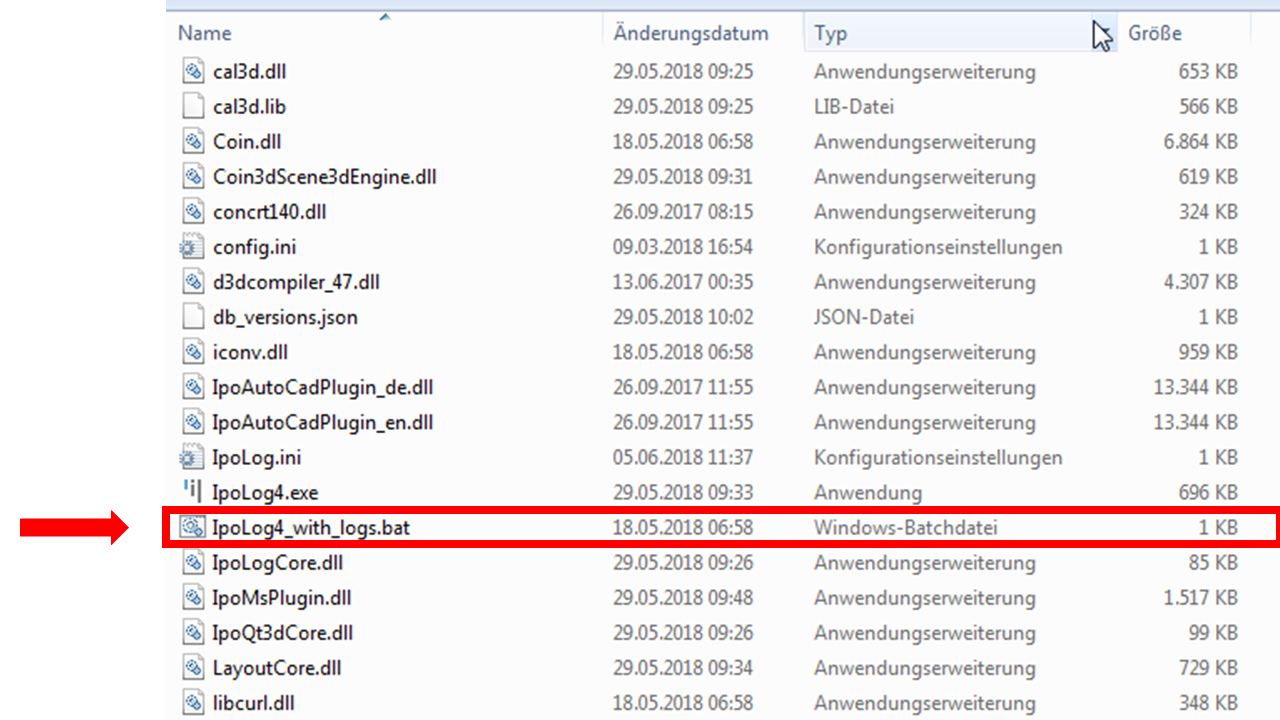
Then open the file "IpoLog4_with_logs.bat".
When ipolog is closed, ipolog creates a log file.
This opens a folder e.g. "C:\Users\"USER"\AppData\Local\Temp\IpoLog4".
In this folder you can find the created log file.
Create Browser Logfile
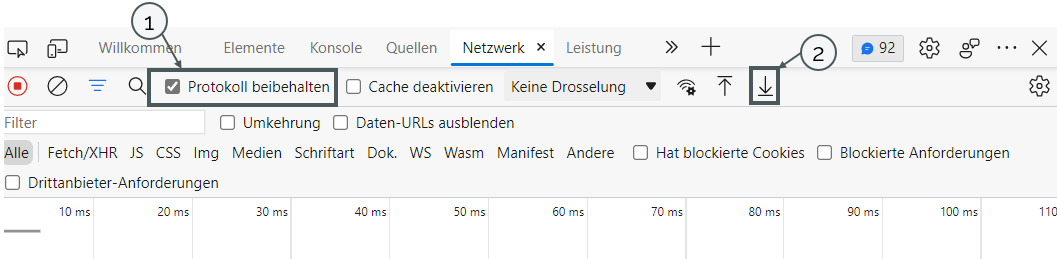
To create a logfile in the browser, first press the "f12" key. Then a window with developer tools opens. Here you have to make sure that "Keep log" is activated (1). Then a log file can be created via the arrow (2).