In ipolog 4 Material Flow, a transport for the disposal of empty boxes can be activated for all transports using the standard supply chain.
This is done in the module Material flow planning, Default Process Chain.
It is important to note that the time of disposal is tied to the full boxes order. By using the appropriate parameter settings (e.g. safety stock > 0), the disposal takes place even if the boxes are not completely empty.
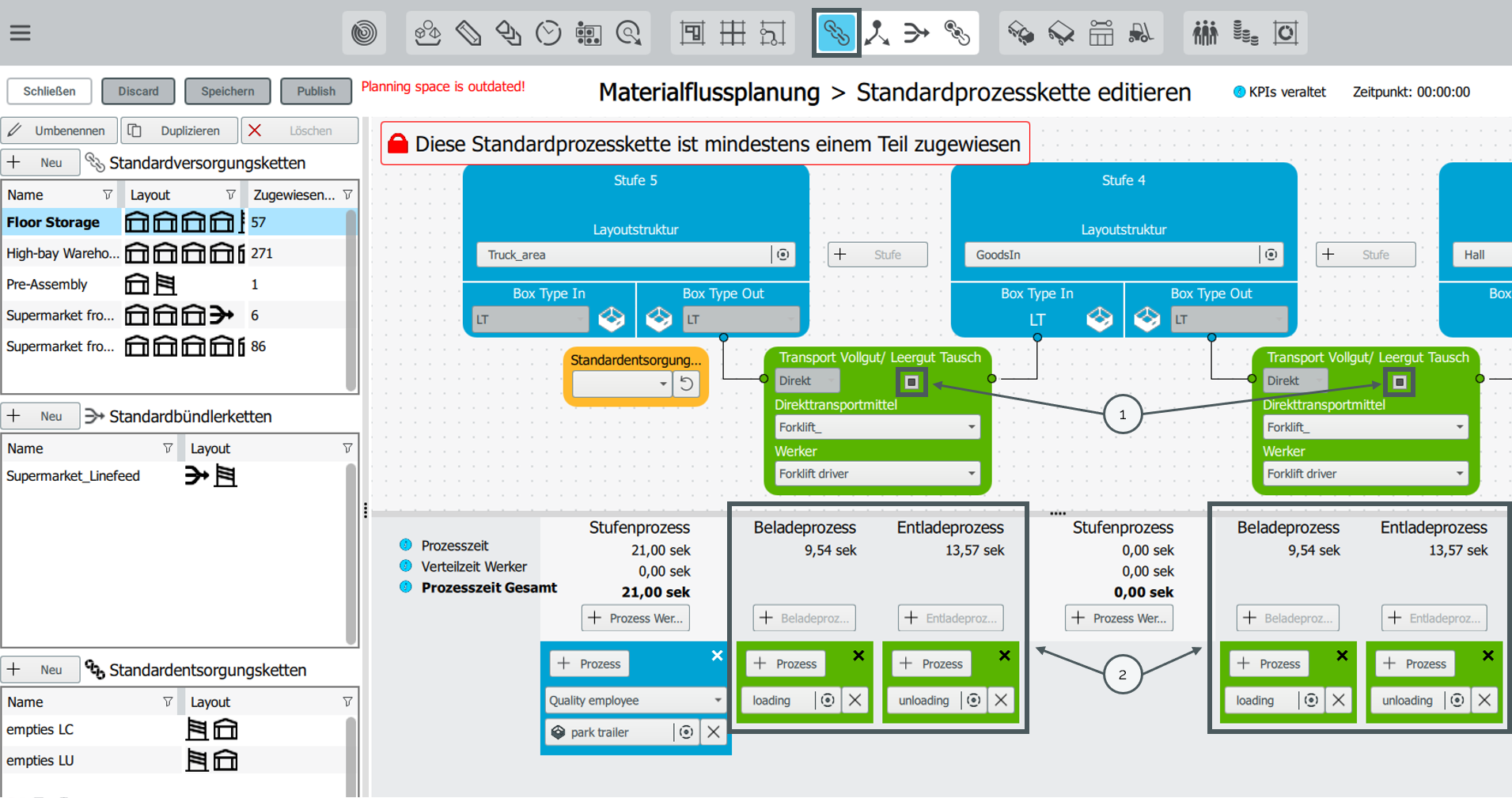
Activate the full/empty swap via the button [1] for each transport in the process chain. The “loading” and “unloading” processes are to be assigned to this transport [2].
Calculation of full / empty swaps for direct transports
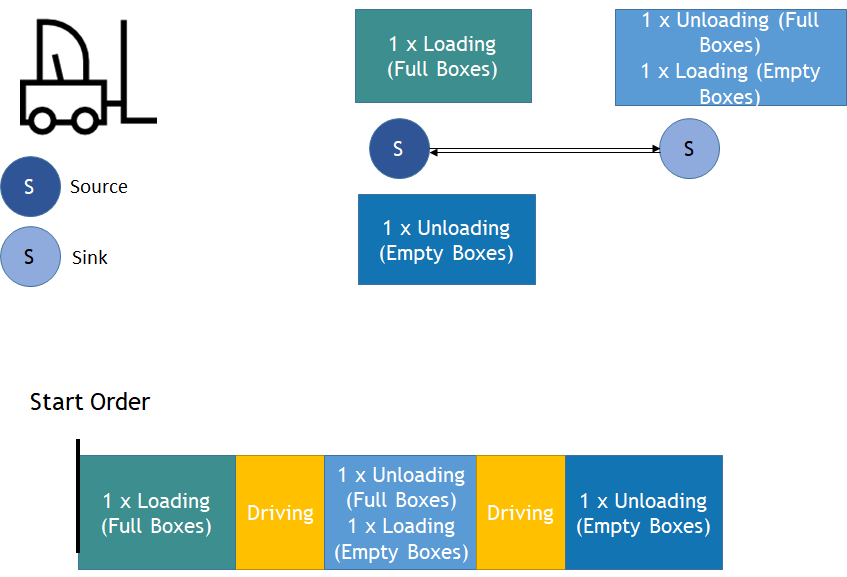
If you activate the full / empty swap for direct transports, ipolog carries out an empties transport directly after the full product has been transported, as explained in the following figure.
As with any transport order, the starting point is the source - for example the warehouse. The material is now moved to the sink at the appropriate time. After unloading, the empty container is loaded and returned to the source.
In the following screenshot the green marking in the transport simulation is the unloading process of the empty boxes:

Calculation of full / empty swaps for routes
If you activate the full / empty swaps for route transports, all containers are unloaded at the end of the route.
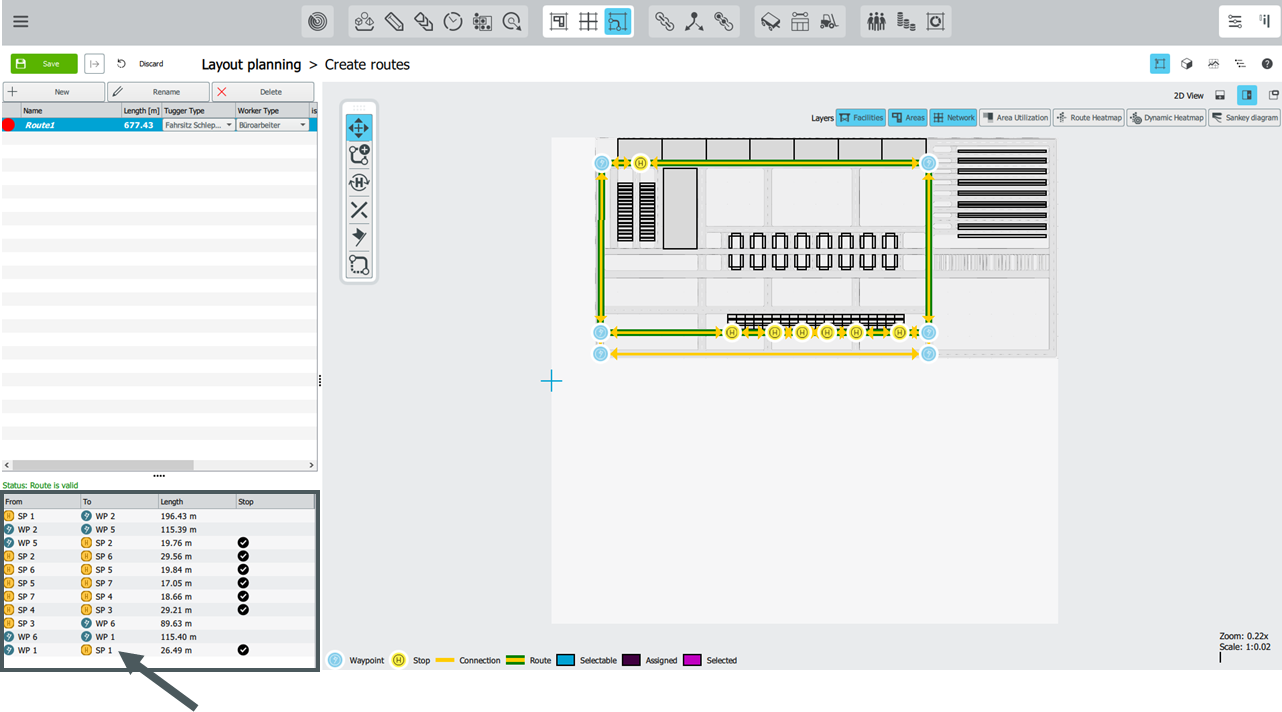
Note, the end of the route is defined in route planning. In this example, it is stopping point 1.
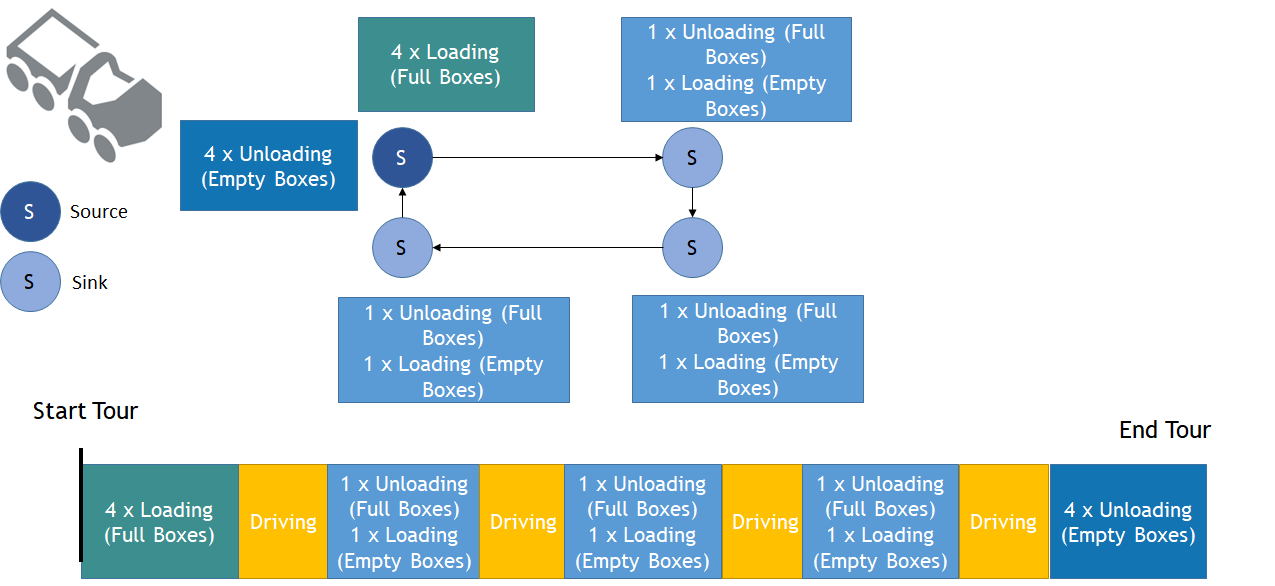
In the route calculation all containers are now unloaded at the last stopping point:
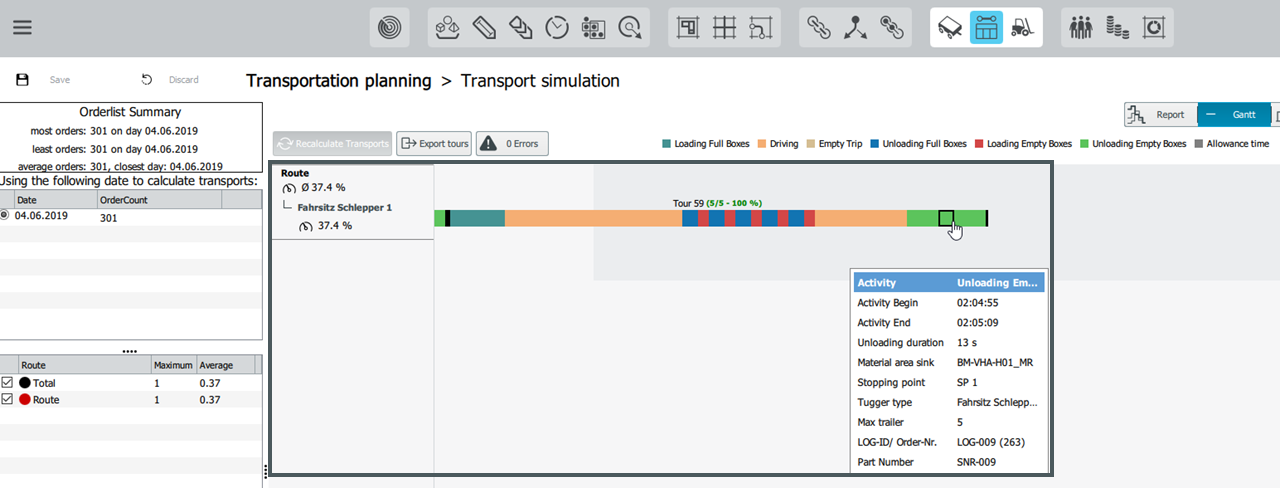
Example: Route1. The last stopping point is SP1.