Basic information on process elements:
- Process elements are required in order to carry out accurate calculations of transports and personnel.
- By creating a process element in the process element management module and assigning it in the SSC, the time of this process element is taken into account in the transport and personnel calculation.
- Process elements consist of 0:n time elements
There are two ways of adding process elements to ipolog:
- Import process elements
- Create process elements
Import process elements
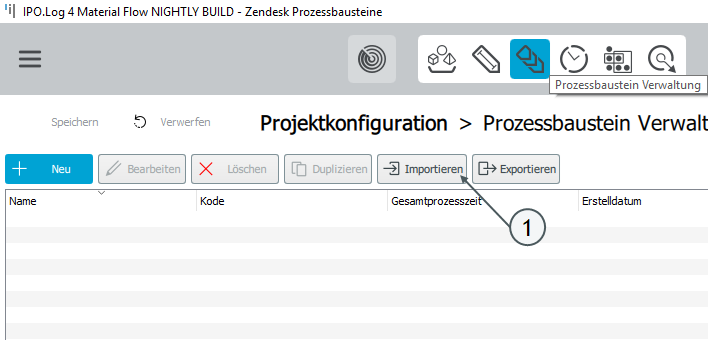
Via "Import" process elements can be imported from a .xls file. Further Information on this file can be found here.
Note: All time elements contained in the process elements are imported automatically.
Create process elements
Process elements can either be created manually or composed of different time elements.
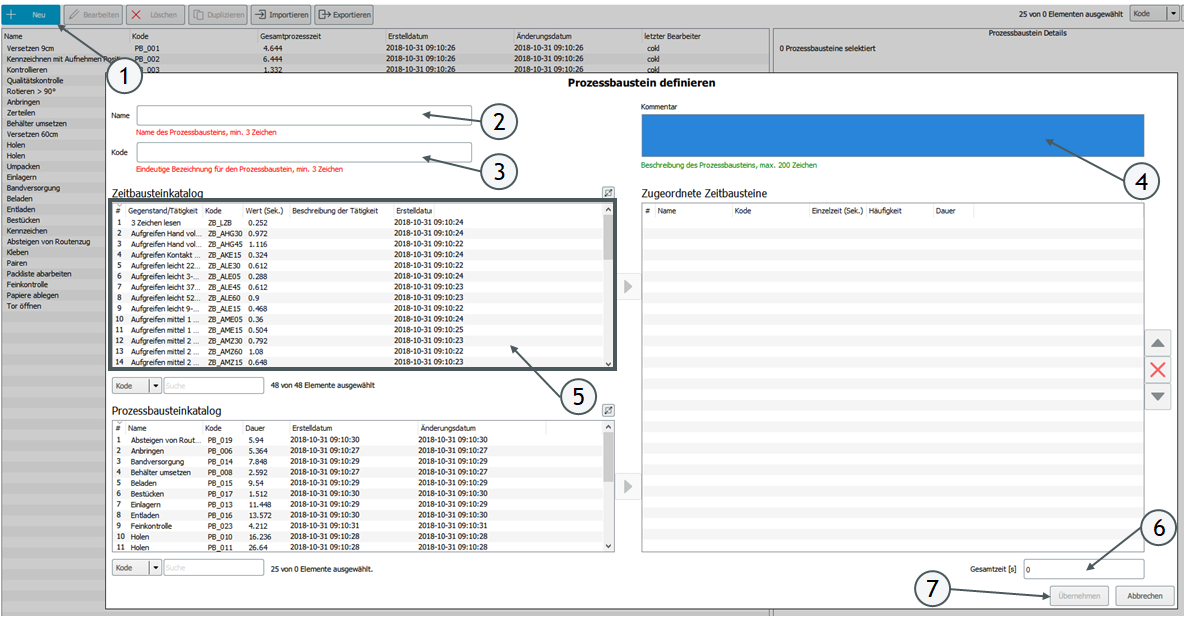
- Process elements can be created using the "New" button. Click the button to open the "Create process elements" view.
- In the "Name" field, a name for the process element can be entered.
- In addition, each process element must be assigned a unique code. The length of the code is limited to 50 characters.
- Additional information on the process element can be entered in the "Comment" field.
- If time elements are imported, the time elements from the time element catalog can be assigned to the process element by double-clicking. As soon as time elements are assigned, the total time (6) of the assigned time elements is displayed.
- If no time elements are assigned, a time can also be entered manually for the total time. Note that a period must be used for decimal separation.
- With "Accept", the created process element is transferred to the process element catalog