

In the submodule "Create routes" routes can be generated automatically as of release 2019-08.
Generation of routes

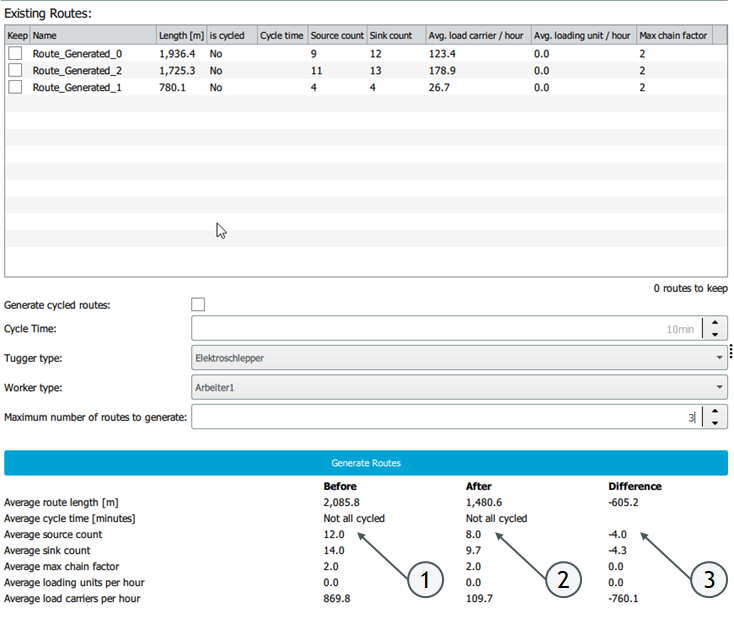
When generating routes, there are various setting options (see 1). These are shown in the figure above and explained in the following table.
| Checkbox for cycled routes + cycle time | This checkbox can be used to specify whether the routes to be generated should be cycled. If the checkbox is activated, the cycle time in minutes can be entered under "Cycle time". |
| Tugger type | For all routes that are generated, the tugger type can be selected. |
| Worker type | The worker type can be selected here. |
| Maximum number of routes to generate | The user can define the maximum number of routes to be generated by the automatic generation. |
When routes are generated, supply and disposal chains are considered that have defined values for the following attributes:
- Sources and sinks are defined / material areas are assigned
- A route transport is assigned between the supply chains.
- Shift plans are assigned to the workers and the means of transport.
If no routes can be generated due to missing values, it is not possible to generate routes and the button is inactive.
The "Generate routes" button (see 2) is used to generate the routes.
If routes already exist and you want to keep them during the generation, you can activate this via the checkbox next to the respective route (see 3). Routes for which this checkbox is not activated will be overwritten during generation.
Evaluation of routes
Evaluation of the individual routes
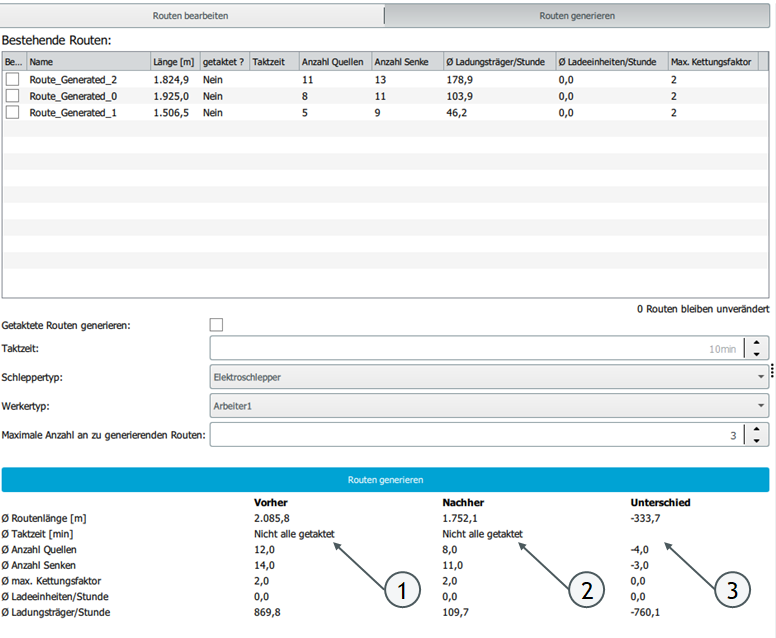
All existing routes (manually created and generated routes) are evaluated in the route generation in the following table:
| Evaluation of | explanation |
| Length | The length of each route is displayed. |
| Cycled routes | It is displayed whether a route is cycled and, if necessary, the cycle time is displayed. |
| Source count | The number of sources approached per route is displayed. |
| Sink count | The number of sinks approached per route is displayed. |
| Average load carriers / hour | The number of load carriers transported per hour on the route is displayed. This value is calculated as follows: LCs per day (over all levels for which a LC transport exists) / net working time of the set shift schedule |
| Average load units / hour | The number of load units transported per hour on the route is displayed. This value is calculated as follows: LUs per day (across all levels for which a LU transport exists) / net working time of the set shift plan |
| Max. chain factor | The maximum chain factor is calculated as follows: Summer of the maximum possible trailers per route / number of routes |
Before / after comparison of all routes
After each generation of routes, a before and after comparison takes place:
| Column | Explanation |
| Before | The criteria explained above are displayed here for all routes on average. The status of the data here is before the generation of the new routes |
| After | The criteria explained above are displayed here for all routes on average. The status of the data here is after the generation of the new routes |
| Difference | Shows the difference between "Before" and "After" values |