

In order for users to have access to a project, it is necessary to add a specific user group to a project.
It is possible that several user groups are assigned to a project.
The precondition for adding user groups is that user groups have already been created. The procedure can be found here.
To add the user group to the project, proceed as follows:
Procedure before version 4.4.7:
- Open the administrator view.
- Select the respective system.
- Once the system is selected, the "Projects" view opens automatically.
- In the next step, select the project to which the user group is to have access.
- In the next view, there is a button "+ Create Access Control Entry" at the bottom. Click on this button.
- The user group can then be selected in the dialogue that opens.
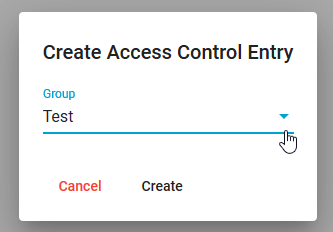
- Once the group has been selected, it is necessary to confirm the selection by clicking on the "Create" button.
- The user group then appears in the view.
Read on to learn how to give a user group permissions for a project.
After the user group has been added to the project, the permissions for the user group still need to be activated. Please proceed as follows:
- Select the user group.
- Activate all permissions for the user group (we recommend activating all permissions here).
- Confirm the permissions via "Update".
Procedure from version 4.4.7:
Since ipolog version 4.4.7, projects no longer need to be assigned to groups. Instead, you can assign authorizations directly to user groups in projects. More about this here.