

From version 1.1.0 of the ipolog Factory Viewer, it is possible to create and save viewpoints in your Factory Viewer planning space. Viewpoints allow you to save a specific view of your planning space at a specific simulation time and call it up again later.
Previously created viewpoints are retained in your project and the assigned zone.
To do this, first select the “Toggle Viewpoint List” module:

Your viewpoint list will then appear at the bottom left of the screen:

This is initially empty. By selecting the “+”-symbol, you can add a new viewpoint. The current frame and the current time in the simulation are saved.
In the editing window, you can select which zone you want to assign the viewpoint to and define a name for it.
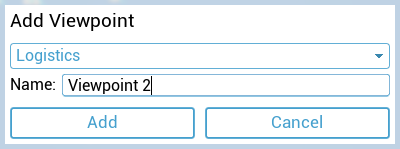
As soon as you have assigned and named the viewpoint, you can add it to the list by clicking “Add”.
The simulation time to which you are jumping is displayed for each viewpoint:

Select the “X” symbol next to each viewpoint in the list to remove viewpoints.