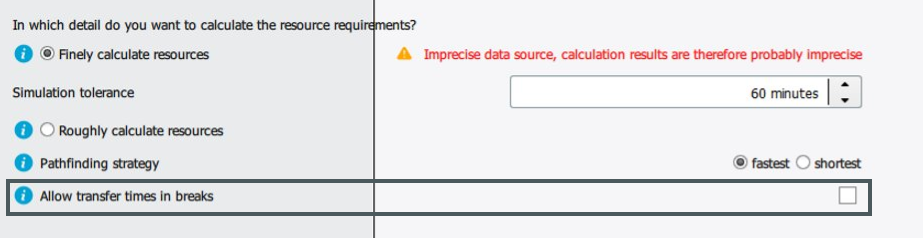
In early planning phases my input data is often still very inaccurate.
As ipolog always calculates with concrete points in time and consumption at the assembly point, since Release 2018-03 it has been possible to set simulation parameters.
In the following, a simple example is used to briefly explain how to work with it.
Note: If the user generates production data himself, the default setting for the simulation tolerance is always "rough". When switching to fine calculation, a simulation tolerance of 45 min. is set by default.
The basis is a logistical quantity framework with 10 part numbers.
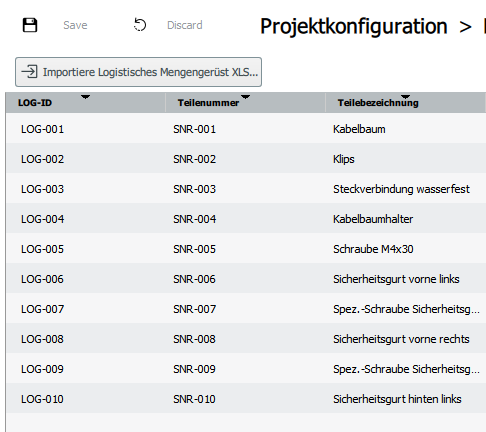
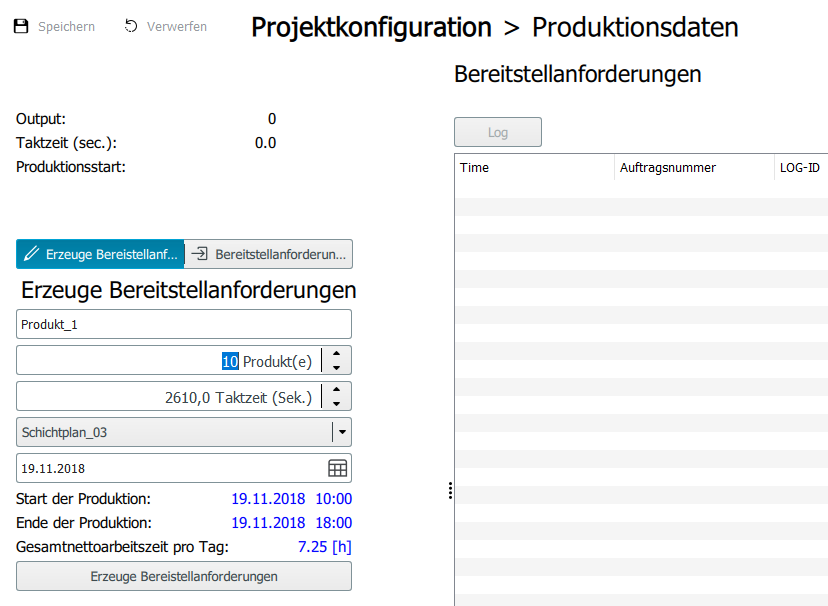
In addition, 10 products are produced.
This can be defined via the submodule "Production data" in the project configuration.
There, provision requirements are to be generated from the logistics quantity framework in ipolog 4 MF.
Another way to use provisioning requirements for further calculation in the software is to import a production program into ipolog 4 Workspace and then export provisioning requirements from that module. The exported provisioning requirements are then imported into ipolog 4 Material Flow.
The parameters (Material Flow Planning module, Supply Chain Editor) are now set as follows for each part:
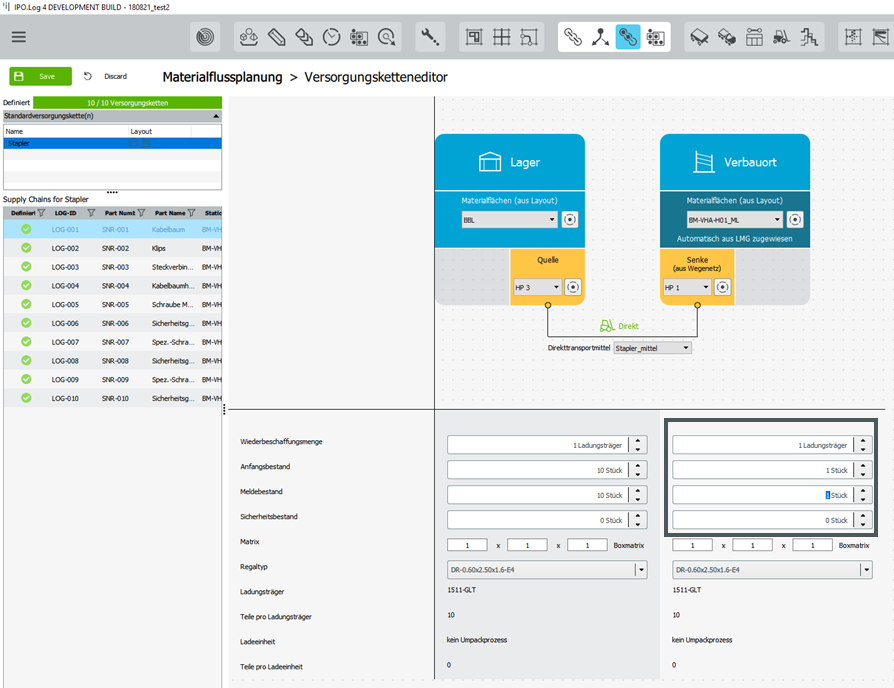
This means that 10 simultaneous transports take place at the same time as the parts are consumed on the assembly line. The reason for this is that each production order requires each part. 10 production orders consume 1 load carrier, which is why each part must be delivered 1 time to the assembly point (sink). The number of parts per load carrier is defined in the logistics quantity framework.
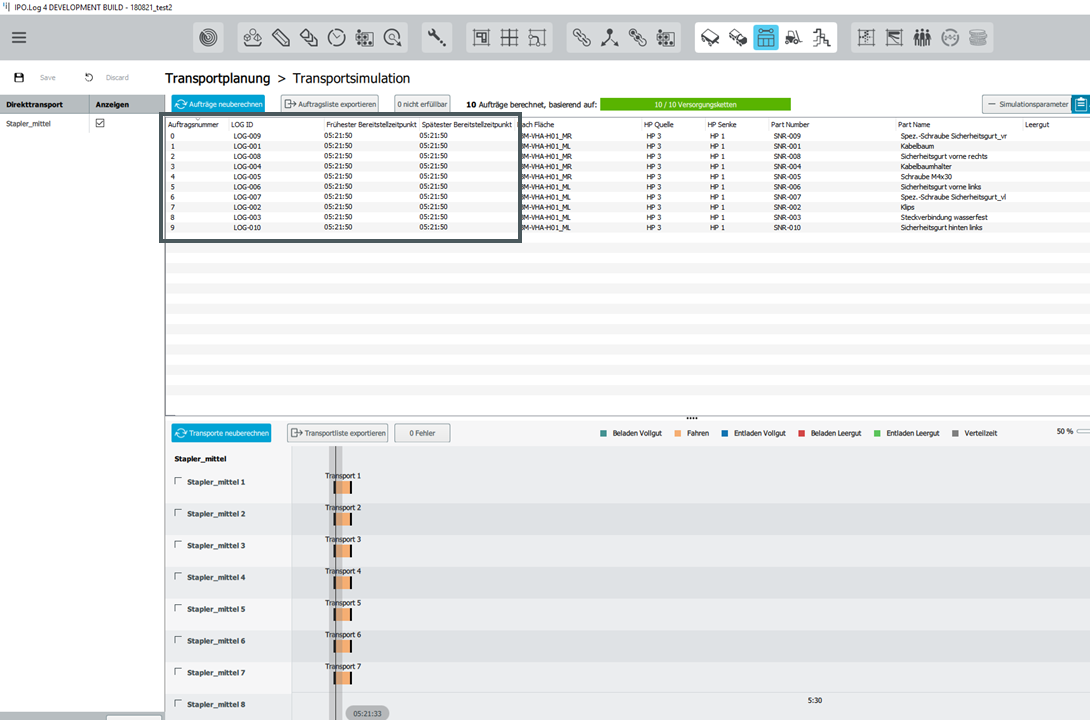
The current planning result is that at 5:21:50 exactly 10 forklifts are needed in parallel. You therefore need exactly one stacker for each order, since the transfer order takes place at the same time (earliest staging time 5:21:50, latest staging time 5:21:50).
Selection of calculation granularity
Under the tab "Simulation parameters" you have the possibility to choose between two calculation options regarding the transport calculation and its results:
Option 1: Finely calculate resource usage
Option 2: Coarsely calculate resource usage
Option 1: Finely calculate resource usage
Enter simulation tolerance:
Explanation and example:
The simulation tolerance describes a time deviation in hours from the earliest and latest staging time (FBZ/SBZ) for fulfilling transfer orders. A simulation tolerance of 0 minutes means that the orders are strictly satisfied between FBZ and SBZ. A simulation tolerance of 10 minutes means that the orders can be satisfied 5 minutes before FBZ and 5 minutes after SBZ.
The simulation tolerance can be set here:
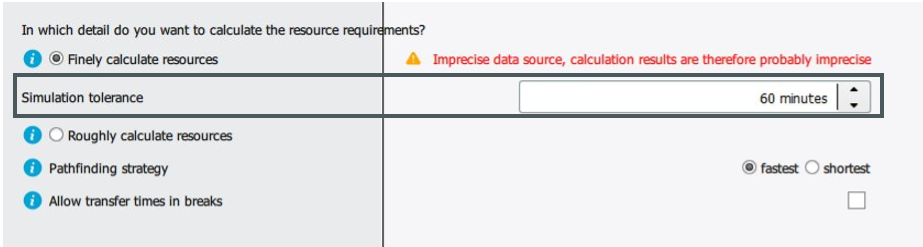
Note: The orders are retained, only the possible time frames for thr transports are extended.
Option 2: Coarsely calculate resource usage
Explanation and example:
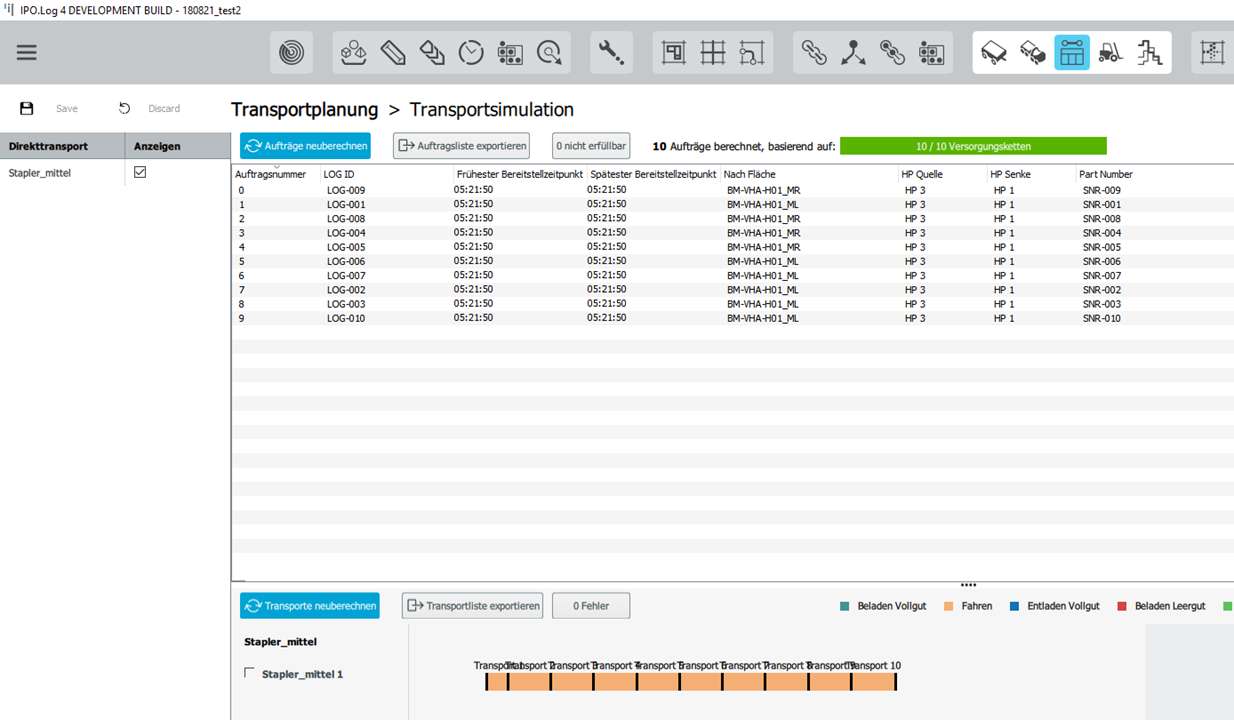
Smoothing resource requirements means that the transport calculation is carried out on the basis of the total net working time of the respective means of transport.
The earliest provision time and latest provision time are each extended by 24 hours in the rough calculation.
Transport Calculation Strategy
Transports in ipolog are calculated with the strategy "latest".
Transport calculation strategy latest
Case 1:
Latest provision time is not in a break time, end of unloading boxes = Latest provision time
Case 2:
Latest provision time is in a break, end of transport = start of the break
Allow transfers during breaks
The simulation parameters can be used to determine whether transfer trips runs may take place during breaks. Transfer trips are only trips from the end point of an order to the start point of a new order. They are therefore always empty trips.
This function is deactivated by default in new projects.