

In the 2D view, a layout-related visualization of the loads on the material surfaces is available, so that it is possible to see directly which of the material surfaces are used the most.
This evaluation is activated in the 2D view by selecting the level Area Utilization.
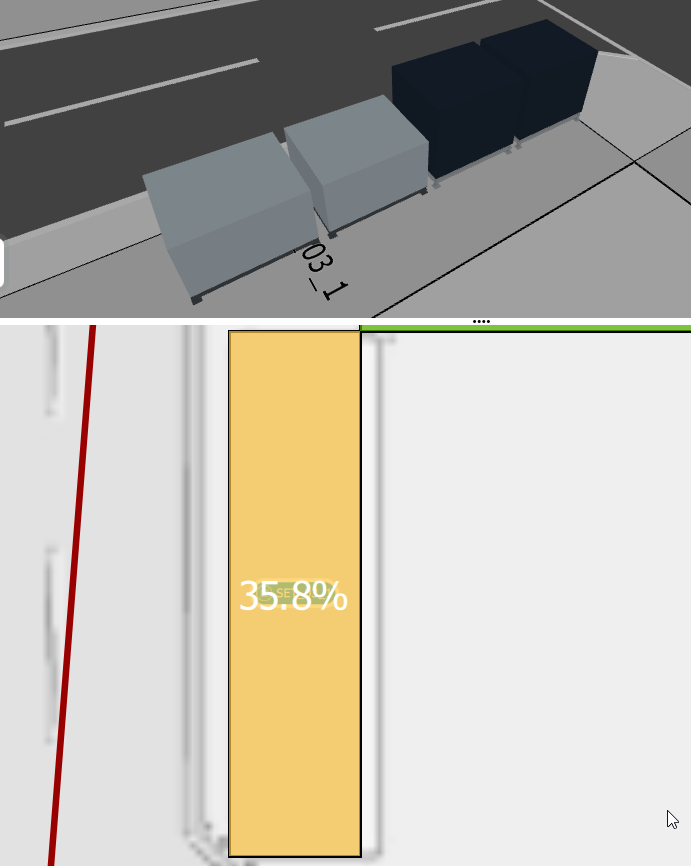
The area utilization is calculated using the following formula:
used area/total area.
As shown in the previous screenshot, the load can be taken from each individual material area directly in the 2D layout.
By default, the area utilization is displayed as follows:
0% - 33% green
33% - 66% yellow
66% - 100% red
100% grey
The threshold values and the coloured background of the areas of the area utilisation can be individually adapted. To do this, move the mouse over the color scale below the Area Utilization button. The following view then opens:
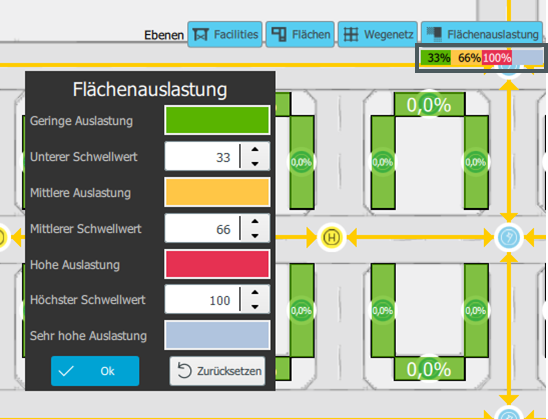
The threshold values can be set there. If you click on a color, another window opens, where you can define the color for one of the four utilization levels.
The settings must then be confirmed with OK if they are to be retained. Otherwise changes can be undone using the Reset button.
Calculation of area utilization
A material area with a load of 35.8% is now considered for the example calculation.
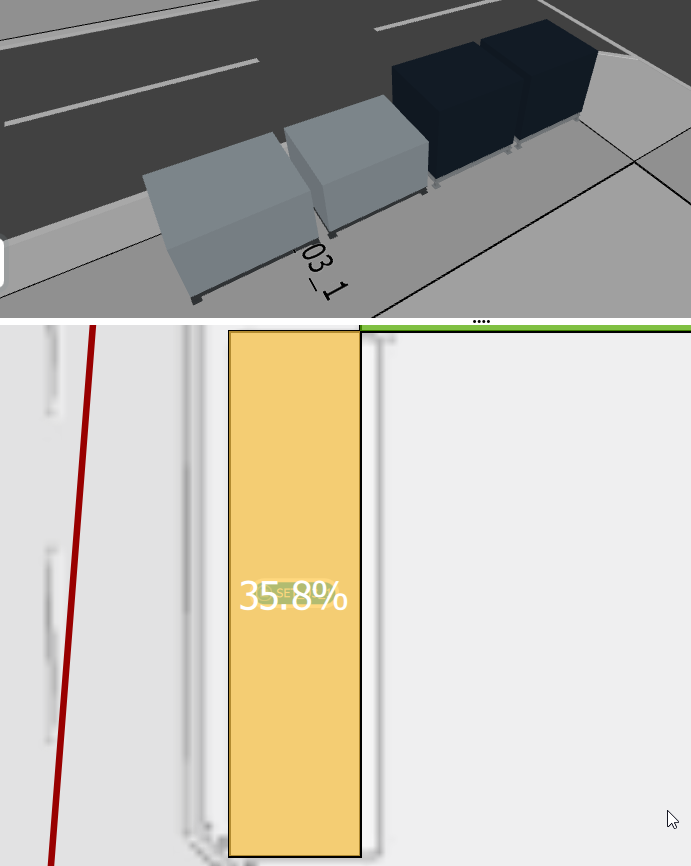
| Size of material area | 16,00 m² |
| Boxes placed on this material area | 4 |
| utilisation of material area | 35,8% |
The four load carriers are composed as follows:
| number | length[m] | width[m] | Area per load carrier without spacing [m²] | Length [m] with container distance* | Width [m] with container distance* | Total area per load carrier type with distance [m²] |
| 2 | 1,200 | 1,00 | 1,2 | 1,300 | 1,100 | 2,86 |
| 2 | 1,20 | 1,00 | 1,2 | 1,300 | 1,100 | 2,86 |
| sum | 5,72 |
*ipolog 4 material flow assumes a distance of 0.1m for the containers, as can be seen from the calculation example.
The utilization of the area is now calculated as follows:
used material area / size of material area
For the example considered, this now means concretely:
5,72 m² / 16,00 m² = 0,3575 ~ 35,8%
Further information for the calculation can be found in the warehouse evaluation.