

From version 4.4.7:
To delete a project, you must first access your system. You can access your system by selecting the "house"-symbol and then clicking on the "arrow"-symbol. Your system should be listed there:

Please note: If your system is not listed, get in touch with your ipolog contact person or consult your IT department.
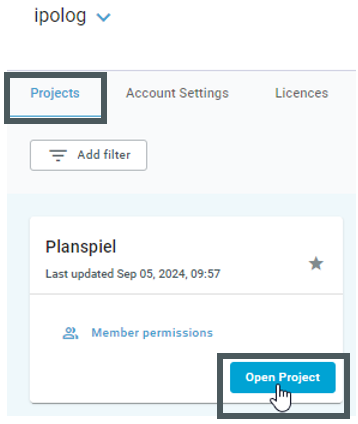
In the system view, you will see the “Projects” tab and - depending on your authorization - “Account Settings” and “Licenses”. Select “Projects” and then open the desired project via “Open Project”:
Call up the project actions in the project view via the "three dots"-symbol:
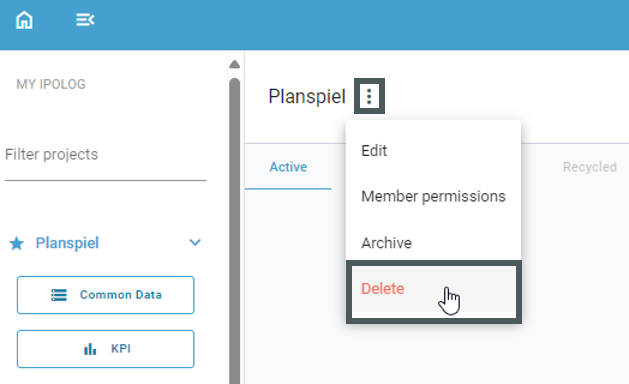
Here you can delete the project.
Before version 4.4.7:
To delete a project, first select the respective system via the administrator view.
- In the Projects view that then appears, all projects that have already been created for the system are listed.
- If a project is to be deleted, click on the recycle bin icon on the far right.
In the example, the project "Test" is deleted:
- After deletion, the project can no longer be found in the project view and can no longer be called up in ipolog.