

In the global 2D-view the capacitive utilization of the docks can be visualized in addition to the area utilization.
To activate the visualization, select the symbol for the area utilization in the 2D view. If you then click with the mouse on the color scale below the button for area utilization, you can switch from Area Utilization to Dock capacity utilization in the dialog that opens.
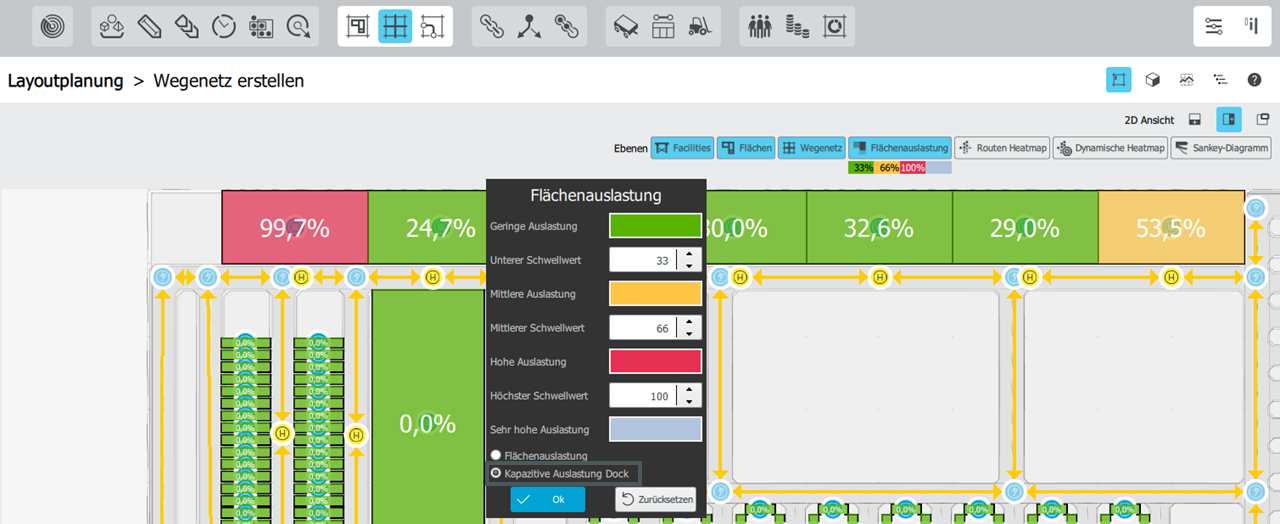 By default, the limit values are set analogously to the area utilization, but can also be adjusted individually:
| 0% - 33% | green |
| > 33% - 66% | yellow |
| > 66% - 100% | red |
| > 100% | grey |
Information on how to calculate the capacitive dock utilization can be found here.